Pikashow
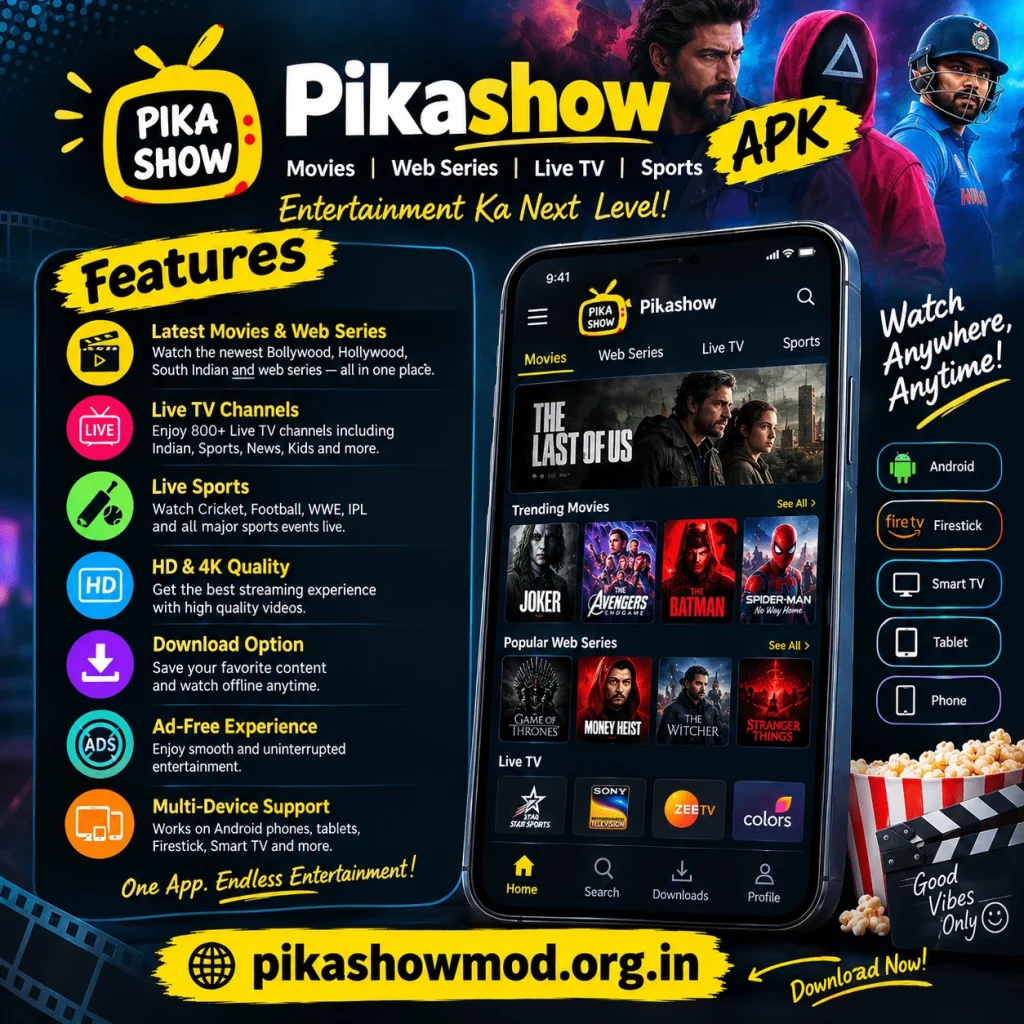
Pikashow is a free streaming app for Android phones. It gives you movies, web series, live TV channels, and cricket matches in one place. You don’t need to sign up or pay. The app opens fast, and you can start watching with one tap. Everything sits on one clean screen. It even streams live cricket and sports for match days.You can pick a film for tonight or a live match for right now. You can also save videos and watch them offline. The app has HD quality, subtitles, and Chromecast support. You can switch audio tracks and use a built-in player with easy swipe controls. Anyone can use it, and it works on most phones too.
What Is Pikashow APK?
Pikashow APK is an Android entertainment app. It works like an OTT platform, but it’s free. You can watch Bollywood and Hollywood movies, TV serials, web series, news, and live sports. The app also has music and kids channels. It’s light, so it runs on most phones. You don’t need to sign up. The layout is clean and easy. It helps a first-time user find a movie in seconds.You can pick the video quality, turn on subtitles, and cast to a Smart TV. The app lets you download videos and watch them offline. It also has many languages and live cricket streams. That’s why many people use Pikashow for movies and cricket every day.

Features of Pikashow APP
Free Streaming
Pikashow APK — Download costs nothing. It lets you watch movies, shows, and live matches without a plan. You won’t pay monthly bills or hidden fees. The app skips the paywall that many OTT apps have. You can install it and start streaming right away. It’s a simple way to enjoy entertainment on a small budget.
Huge Content Library
The app has a big mix of content. You can find action films, comedy, drama, horror, and web series. It has Bollywood and Hollywood titles, plus regional picks. The APK adds new titles often, so there’s always something fresh. The library fits every mood. You can always find a show that suits you.
Live TV Channels
Live TV is a big plus. The app gives you channels for news, sports, music, kids, and movies. You can watch them without a cable box. It only takes a tap on the Live section to pick a channel. It keeps news and serials close, even when you’re away from home.
Live Cricket and Sports
Cricket fans will love this feature. The Pikashow App Download streams live matches, including IPL and international games. You can also find football, tennis, and other sports. It shows live scores on some streams. This feature is one of the best parts of the app. You should open the stream a few minutes early, because big matches get crowded.
HD Quality Options
You can choose the video quality. It’s best to pick a lower setting when your data is low. The app lets you choose HD when your Wi-Fi is strong. You can switch with one tap at any time. This keeps the video smooth and saves data. It gives you a clear picture without constant buffering.
Offline Downloads
You can save movies and shows on your phone. The App then plays them without internet. It’s perfect for trips, power cuts, or weak signals. You just tap the download button and wait. The app keeps your files until you delete them. It needs free storage, so check your space before you start.
Built-in Video Player
The app comes with its own player. You don’t need another app to play videos. It lets you change volume, brightness, and speed with simple swipes. The player supports many video formats, and Pikashow APK Download’s player stays smooth and light. You can also switch to an external player such as MX Player or VLC.
Subtitles and Languages
It supports many languages. You can pick the audio track you like. It also lets you turn on subtitles in your own language. The app has the subtitle option built in, so you don’t need extra files. You can open the player menu to switch them. This feature makes foreign films easy to follow.
Easy Interface
The layout is clean and simple. It puts the menus in easy spots, and the search bar sits right where you expect it. You can learn Pikashow Download in minutes, and you don’t need any tech skills. The app lets you tap a category, pick a title, and press play. It really is that easy.
Chromecast Support
You can cast videos to a bigger screen. The app works with Chromecast, so you connect your phone and TV to the same Wi-Fi. It then shows a cast icon in the player. You tap it, and the video shows up on your Smart TV in seconds. This feature is great for family movie nights.
No Login Needed
You don’t have to sign up. The app has no email, no password, and no form to fill out. It lets you install, open, and start watching. This saves time and keeps things simple. You get fewer steps and fewer problems too. It’s a big reason why new users find the APK so easy.
Light Size and Regular Updates
The app is small. It takes little storage and runs well on older phones. You won’t need a powerful device. It also loads fast on most phones. You can update it when a new version comes out to get fixes and fresh features. This keeps Pikashow OTT steady for daily use.
Live TV Channels on Pikashow APK — Download
Pikashow Application Download sorts live channels into easy groups. You can pick a group and see the channels inside. The lineup can change from time to time, so a few channels may be down on some days.
Entertainment Channels
It has serials, dramas, and shows on these channels.
- Star Plus
- Sony TV
- Star Bharat
- Colors TV
- Zee TV
- Sab TV
- Imagine TV
Sports Channels
The App has sports channels for cricket, football, tennis, and more.
- Star Sports
- Sony Sports Network
- PTV Sports
- Ten Sports
- T Sports
- Willow TV
- Sky Sports
- DD Sports
- Eurosport
News Channels
It lets you follow national and world news all day.
- Aaj Tak
- ABP News
- Zee News
- NDTV India
- India TV
- News18 India
- BBC World News
- CNN International
- Al Jazeera
Pakistani Channels
You can also find popular Pakistani news and sports channels on Pikashow Watch.
- PTV Sports
- PTV News
- Geo News
- ARY News
- Express News
Movie Channels
The APK has channels that play Hollywood, Bollywood, and regional movies.
- Star Gold
- Sony MAX
- Zee Cinema
- Colors Cineplex
- Star Movies
- Sony Pix
- WB Channel
- Zee Action
Music Channels
You can enjoy songs, charts, and live shows on these channels.
- 9XM
- MTV India
- B4U Music
- Sony MIX
- Zoom
- VH1
- PTC Punjabi
Kids Channels
The App has cartoons and fun shows for children.
- Cartoon Network
- Disney Channel
- Pogo
- Hungama TV
- Discovery Kids
- BabyTV
Lifestyle Channels
Pikashow for TV also has shows about travel, food, history, and nature.
- TLC
- Fox Life
- National Geographic
- Discovery Channel
- History Channel
- TravelXP
How to Watch Live Cricket on Pikashow Online
Cricket is one reason many people install it. The app streams live matches on its sports channels. You can follow the steps below to watch a match.
- Update the app to the latest version first.
- Connect your phone to a steady Wi-Fi or mobile data signal.
- Open the app and tap Live TV on the home page.
- Choose the Sports category.
- Scroll the list and pick a channel that shows your match, such as Star Sports, Sony Ten, PTV Sports, T Sports, or Willow TV.
- Tap the channel and wait a few seconds for the stream to load.
- Pick a lower video quality if the stream buffers.
- Turn your phone sideways to watch in full screen.
- Cast the match to your TV with Chromecast for a big screen view.
Cricket Events You Can Follow
You can find live coverage of big cricket events on Pikashow Mod APK sports channels.
- IPL
- PSL
- Asia Cup
- ICC World Cup
- T20 World Cup
- Test series
- ODI series
Tips for Live Matches
- Open the channel a few minutes before the match starts.
- Try another sports channel if one stream is slow.
- Close other apps to free up memory.
- Turn off data saver mode on your phone.
- Keep your phone charged, because live streams use more power.
Pikashow APK Download Requirements
The app needs very little to run. The table below shows what each device needs before you download. You can check your device in a minute.
| Requirement | Android Phone and Tablet | PC (Windows and Mac) | Firestick and Smart TV |
| Operating System | Android 5.0 and above | Windows 7, 8, 10, 11, or Mac | Fire OS or Android TV |
| Free Storage | 100 MB | 5 GB | 100 MB |
| RAM | 2 GB or more works best | 4 GB | Most models work |
| Processor | Any modern phone chip | Intel or AMD, 2 GHz | Built-in chip is enough |
| Extra App Needed | None | BlueStacks, MEmu, or Nox Player | Downloader app |
| Settings to Turn On | Install unknown apps | Virtualization for speed | Install unknown apps in Developer Options |
| Internet | Wi-Fi or mobile data | Wi-Fi or LAN | Wi-Fi |
| Root Needed | No | No | No |
How to Download Pikashow Application for Android?
- Open our download page in Chrome or any browser on your phone.
- Tap the Download APK button.
- Tap OK or Download anyway if the browser warns you about the file type.
- Wait until the download finishes. You can watch the progress in your notification bar.
- Allow your browser or file manager to install apps from this source. The next section shows how.
- Open the File Manager app and go to the Downloads folder.
- Tap the APK file.
- Press Install and wait a few seconds.
- Tap Open when the install ends.
- Allow storage access if the app asks, and start watching.

Download Pikashow for PC (Windows and Mac)
Pikashow Old Version is an Android app, so you need an emulator to run it on a computer. The emulator works like a small Android phone inside your PC.
- Pick an emulator such as BlueStacks, MEmu, or Nox Player.
- Download the emulator from its official website and install it.
- Open the emulator and wait for the home screen to load. The first start can take a few minutes.
- Sign in with a Google account if the emulator asks.
- Download the APK file from our page to your computer.
- Click the Install APK icon on the emulator’s side toolbar, or drag the file into the emulator window.
- Wait a minute while the emulator installs the app.
- Open the app from the emulator home screen.
- Use your mouse to browse, and switch to full screen for a big view.
Download Pikashow for Firestick
A Firestick can’t open APK files on its own. The Downloader app solves that, and it’s free.
- Go to the Fire TV home screen and use Search to find the Downloader app.
- Install Downloader from the Amazon Appstore.
- Open Settings, then My Fire TV, then Developer Options.
- Tap Install unknown apps and turn on Downloader.
- Open Downloader and click the URL box.
- Enter the link to our download page and select Go.
- Select the APK download button and wait for the file.
- Choose Install when the box appears.
- Select Done or Open after the install ends.
- Find the app in Your Apps and Channels, and use your remote to browse.
Download Pikashow TV for Smart TV and Android TV
- Install the Downloader app from your TV’s app store.
- Open your TV Settings and allow Downloader to install unknown apps.
- Open Downloader and enter the link to our download page.
- Download the APK file and press Install.
- Or copy the file to a USB drive, plug it into your TV, and install it with a file manager.
- Open the app and use your remote to browse.
Download Pikashow for iOS (iPhone and iPad)
It has no official app for iPhone. The reason is simple: iOS can’t run APK files. Some sites claim to offer an iOS version, but those files may be fake. You should skip them. It’s safer to use an Android phone, a tablet, or a PC with an emulator. You can also pick an iOS-friendly streaming app from the App Store.
Download Old Versions of Pikashow
Sometimes v94 doesn’t run well on a very old phone. You can try an older build from our old versions page in that case. It works as a good backup when the new file gives you trouble
How to Use Pikashow Latest Version
Using Pikashow iOS is easy. The steps below take you from your first launch to your first video. Menu names may look a little different in each version.
Set Up the App
- Open the app 4after you install it.
- Allow storage access if the app asks.
- Wait a few seconds for the home page to load.
- Make sure your internet is on.
Watch Movies and Web Series
- Tap a category on the Pikashow home page, such as Movies or Web Series.
- Scroll through the list, or use the search bar to find a title.
- Tap the title you like.
- Pick a source if the app shows a few options.
- Press play and enjoy.
Watch Live TV
- Tap Live TV on the home page.
- Choose a category like News, Sports, or Entertainment.
- Tap a channel and wait for it to load.
- Switch to another channel if one is slow.
Download Videos for Offline Viewing
- Open the movie or show page inthe app.
- Tap the download arrow.
- Pick the quality you want.
- Wait until the download ends.
- Open the downloads section in the app to watch it without internet.
Change Quality, Subtitles and Audio
- Tap the video screen to show the controls.
- Tap the settings icon.
- Pick a video quality that fits your internet.
- Choose a subtitle language, or turn subtitles off.
- Pick an audio track if the video has more than one.
- Swipe on the screen to change volume and brightness.
Cast Pikashow to Your TV with Chromecast
- Connect your phone and your TV to the same Wi-Fi.
- Open the application and start a video.
- Tap the cast icon in the player.
- Pick your TV from the list.
- Enjoy the video on the big screen.
Pikashow vs Netflix, Prime Video and Hotstar
| Point | Pikashow | Netflix | Prime Video | Hotstar |
| Cost | Free | Paid plans | Paid plans | Free and paid |
| Live TV | Yes | Limited | Limited | Yes, mostly sports |
| Offline Downloads | Yes | Yes | Yes | Paid plans |
| Login Needed | No | Yes | Yes | Yes |
| Official App Store | No, APK only | Yes | Yes | Yes |
| Best For | Free movies and cricket | Original series | Movies and perks | Live sports |
Pikashow vs Thop TV vs TeaTV
| Point | Pikashow | Thop TV | TeaTV |
| Main Focus | Movies, live TV, cricket | Live TV and sports | Movies and series |
| Live TV | Yes | Yes | Limited |
| Movies and Series | Yes | Yes | Yes |
| Cricket | Yes | Yes | Limited |
| Best For | All-in-one viewing | Live channels | Film lovers |
Is Pikashow APK Safe?
Many users install Pikashow APK Free Download on their phones every day, and you can do it with confidence too. We share the file on our page, so you don’t need to hunt on random sites. You should allow only basic things like storage and internet access. It’s smart to say no if any app asks for your contacts, SMS, or camera.The file should end in .apk, and you should skip copies that call themselves “Pikashow Pro” or “Pikashow Premium”. You shouldn’t enter bank or card details in any streaming app. No app outside the Play Store is risk-free. So you should keep Google Play Protect on and download only from our page.
Pikashow Not Working? Common Problems and Fixes
Pikashow TV Application can act up now and then. Most problems have a quick fix, so you can check the list below.
App Not Working
The app may not open, or it may stop in the middle of a video. It often happens with an old version or a weak connection. You can update the app and check your internet.
Fix: Install the latest file from our page, clear the cache, and restart your phone.
Server Down Error
This error shows up when too many people use the app at once. It can also appear when the app is blocked in your area. The servers may need a little time to recover.
Fix: Wait a few minutes, clear the cache, or try a VPN.
Buffering Issue
The video may stop and load again and again. It happens when your internet is slow or the quality is too high. You can lower the quality to solve it.
Fix: Switch to a faster Wi-Fi and pick a lower video quality.
App Not Installed
This error appears when an old copy of the app stays on your phone. It can also happen when the phone has low storage. The new file can’t replace the old one.
Fix: Uninstall the old version, free up some space, and install v94 again.
Black Screen or No Sound
The video may play with no picture or no sound. It can happen because of a player bug or low storage. The app may just need a fresh start.
Fix: Restart the app, free up space, and updatethe app.
Subtitles Not Showing
You may start a movie and see no subtitles. The option can be off, or the video may not have a subtitle file. It’s an easy thing to check.
Fix: Open the player menu, turn on subtitles, and pick your language.
Live Channel Not Loading
A live channel may not load, especially during a big match. The channel may be busy or down for a while. It doesn’t mean the whole app has a problem.
Fix: Try another channel or come back after a few minutes.
App Crashing or Freezing
The app may close or freeze while you watch. Low memory is the most common cause. Too many background apps make it worse.
Fix: Close other apps, clear the cache, and update Pikashow App Download APK.
How to Update, Clear Cache, and Uninstall Pikashow
Update the App:
- Download the newest file from our page.
- Install it over the old app. Your phone will keep the app and replace the files.
Clear the cache:
- Open Settings, then Apps, then Pikashow.
- Tap Storage and press Clear Cache.
Uninstall Pikashow:
- Press and hold the app icon.
- Tap Uninstall and confirm.
Pikashow Alternatives
Here are six apps like Pikashow aap for movies and live TV.
Thop TV
Thop TV streams live Indian TV channels, movies, and sports. It’s a good pick for cricket fans, since it covers IPL too. The layout is simple. You can try it for more live TV choices.
TeaTV
TeaTV focuses on movies and TV series. It offers HD streaming and subtitles in many languages. It’s a good match if you like Pikashow but care more about films. You can learn the app quickly, and the search is quick.
HD Streamz
HD Streamz is a live TV app with many channels from different countries. It puts news, sports, and entertainment in one list. You can switch between channels with ease. The app is free and simple to use.
BeeTV
BeeTV puts movies and shows into easy categories. It’s free, and you don’t need to sign up. The app looks a lot like Pikashow for Android TV, so switching is easy. You can use it as a backup when a source goes down.
Cricfy TV
Cricfy TV is built for sports fans. It streams live cricket, football, and other events, plus a few TV channels. The interface is clean. You can pick it if live matches matter most to you.
RedBox TV
RedBox TV gives you live TV channels and movies for free. You can watch without signing in. The app is light and quick. It’s handy when you want a live channel and a film in one app.
Pros and Cons
Pros
- Free movies, web series, and live TV
- Live cricket and sports streams
- Offline downloads for travel and weak signals
- HD quality options that save data
- Subtitles and audio tracks in many languages
- Chromecast support for big screens
- No login or signup needed
- Light app size that suits older phones
- Built-in player, with MX Player and VLC support
- It works on Android, PC, Smart TV, and Firestick
- Regular updates with fixes and new content
- Clean and simple layout
Cons
- The app isn’t on the Google Play Store or Apple App Store
- No official iOS app
- Some channels and sources go down at times
- Streams can slow down during big matches
- Video quality depends on your internet speed
- Files outside the Play Store carry some risk
- Some content may be copyrighted in certain regions
- You update the app by hand
Tips for the Best Streaming
- Use Wi-Fi for HD streams.
- Keep the latest version of Pikashow installed.
- Clear the cache once a week.
- Close background apps before you stream.
- Keep at least 2 GB of free storage.
- Download movies on Wi-Fi, then watch them anywhere.
FAQs
Is Pikashow free?
Yes. It’s free to download and use. You don’t need a plan, a payment, or a login.
Is Pikashow safe to download?
It’s safe when you download it from a trusted page like ours. You should keep Google Play Protect on and skip unknown copies.
Is Pikashow Mod APK Download legal in India?
It isn’t on the Play Store, and some content may be copyrighted. You should check your local laws, since rules differ by country.
Is Pikashow APK Old available on the Google Play Store?
No. The app isn’t on the Play Store, so you install it as an APK file from a website like ours.
Can I download movies from Pikashow Movie App?
Yes. You can save movies and shows on your phone with the download arrow. It lets you watch them later without internet.
Does Pikashow work offline?
It works offline only for videos you already downloaded. You need internet for live TV and new streams.
Can I watch live cricket on Pikashow TV APK?
Yes. The app has sports channels that stream live matches like IPL and international games. You can find them under Live TV
Conclusion
Pikashow APK gives you free movies, web series, live TV, and cricket in one app. It’s easy to use, and it works on Android, PC, Smart TV, and Firestick. You can stream in HD, add subtitles, and save videos for offline viewing. The APK v94 file is ready on this page. You can download it today, pick your favorite show, and enjoy streaming without any plan. It costs nothing. Your next movie night is just one tap away.